
Protect Your Kids the Right Way (2026)
Introduction
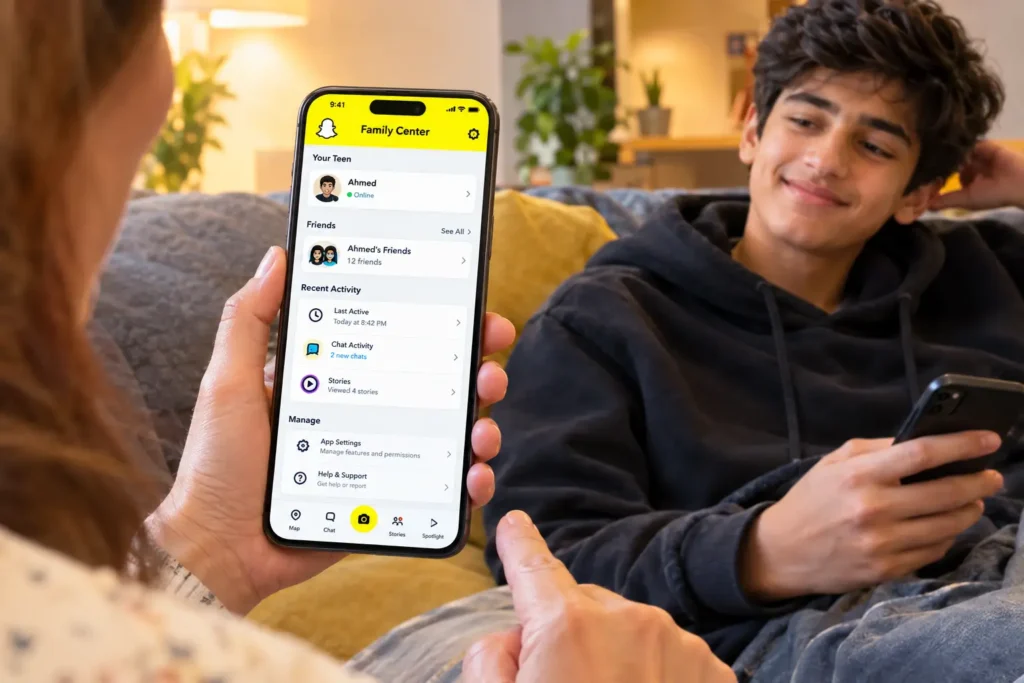
A few weeks back, a friend of mine found out her 15-year-old daughter had been talking to someone she’d never met for months and had no idea until she stumbled onto it by accident. That’s when it really hit me: most of us parents are basically flying blind when it comes to apps like Snapchat. The messages disappear, the app feels like a black box, and honestly, googling “how to read my kid’s Snapchat messages” isn’t going to get you anywhere safe or legal most of those apps and “hacks” are scams anyway. But here’s the thing you don’t actually need to spy. Snapchat has an official tool built exactly for this called Family Center, and once you understand how it works, it genuinely changes how much visibility you have as a parent.
Why This Actually Matters
Look, I’m not going to pretend every stranger online is a predator or every app is dangerous. Most of the time, kids are just being kids sharing memes, gossiping, being silly. But the reality is, they don’t always tell you when something feels off, and by the time they do, it’s often already been going on for a while. Snapchat in particular makes this harder because messages disappear by default, so there’s no paper trail like there would be on WhatsApp or Instagram DMs. Family Center isn’t about hovering over your kid 24/7 it’s about having enough visibility to step in before something turns into a real problem, without turning your house into a surveillance state.
What Is Snapchat Family Center, Really?
It launched back in 2022, and Snapchat quietly updated it again in January 2026 with some genuinely useful additions. Basically, it lets parents of teens under 18 see activity patterns who they’re talking to, how much time they’re spending, what kind of content is coming through without ever opening up their actual private messages. So no, you still can’t “read their chats,” and honestly, Snapchat has been pretty clear that this is intentional. The idea is to respect teen privacy while still giving parents enough context to know when something’s worth a conversation.
How It’s Different From Third-Party “Spy Apps”
This part matters a lot, so let me be direct about it. There are dozens of apps out there claiming to let you “see your kid’s deleted Snapchat messages or track their private chats secretly. Almost all of them are either scams designed to steal your own data, or they require jailbreaking rooting the phone, which creates massive security risks. Family Center is different because it’s built directly into Snapchat it self, doesn’t require any hacking, and both parent and teen have to consent to it the teen has to accept the invite for it to even work. That consent piece is actually important, both legally and for keeping trust intact in your relationship.
What You Can Actually See and Do
Screen Time Breakdown
You’ll see how much time your teen spends on the app daily and weekly, plus a breakdown of which parts of the app camera, chat, Discover, Spotlight they’re using most. If it’s 4+ hours a day, mostly on Spotlight (Snapchat’s short video feed), that’s worth a chat about balance
Who They’re Talking To
You get their full friend list and can see who they’ve messaged most frequently in the last 7 days. Not the content of what was said just the pattern of who’s getting the most attention. If a random new name suddenly jumps to the top of that list, that’s your cue to casually ask about them.
Content Filters
You can restrict certain types of content from showing up in their Discover feed and Spotlight recommendations, which helps filter out material that isn’t age-appropriate.
Turning Off My AI
If you’re not comfortable with your kid chatting with an AI chatbot unsupervised and that’s a fair concern, especially for younger teens you can just switch this off entirely.
Location Sharing
This is optional, but a lot of parents find it useful, especially if their teen is out with friends and they just want quick peace of mind without having to call or text constantly.
Reporting Sketchy Accounts
If someone shady is trying to contact your teen, you don’t have to wait for them to notice or report it themselves you can flag the account directly through Family Center.
One thing worth mentioning the friend activity feature only shows the last 7 days, which feels a little limited if you’re trying to spot a longer-term pattern. It’s not perfect, but it’s still miles better than having zero visibility at all.
Setting It Up Takes About 5 Minutes
- Open Snapchat and go to Settings.
- Scroll down and find Family Center.
- Send your teen an invite link directly through the app.
- Once they accept, you’ll get dashboard access with all the insights mentioned above.
- For extra guidance and updates, check parents.snapchat.com.
Keep in mind, this only works with your teen’s cooperation they have to accept the invite. Which honestly brings us to the most important part of all this.https://snapchatproo.com/how-to-install-a-custom-font-in-snapchat/
Why the “Together” Approach Works Better Than Secrecy
I know the instinct for a lot of parents is to want to monitor quietly, without their kid knowing. But practically speaking, Family Center doesn’t work that way and even if it did, secret monitoring tends to backfire once discovered. Teens who find out they were being watched without their knowledge often become more secretive, not less, and it damages the trust that actually keeps kids talking to you when something goes wrong. Setting it up openly, and explaining why, tends to get much better long-term results.

Tips That Actually Help
Set it up together, not secretly.
Frame it as a family safety thing, not surveillance. Let them know exactly what you can and can’t see.
Don’t panic over every screen time spike.
Teens go through phases a busy week doesn’t automatically mean something’s wrong. Use the data to start conversations, not accusations.
Actually talk about the friends list with them.
Instead of silently watching, ask casually who their close friends are these days. You’ll learn more from an actual conversation than from the app alone.
Trust your gut on behavior changes.
If your kid suddenly gets weirdly secretive, anxious, or defensive after being on their phone, that’s worth a gentle check-in not an interrogation.
Don’t make this your only safety net.
Family Center helps, but it’s not a replacement for actually teaching your kid how to spot red flags themselves fake accounts, pressure tactics, people asking to move conversations to other apps, all of it.
Recheck settings every couple of months.
Snapchat keeps updating this feature what wasn’t available last year like the screen time breakdown might be there now.
Talk about the “why,” not just the rules.
Kids are more likely to respect boundaries when they understand the reasoning, rather than just being told “because I said so.
Tricks to Get the Most Out of Family Center
1. Turn On Notifications for Family Center Updates
Snapchat sends alerts when there’s new activity worth noticing. Make sure notifications are enabled in your own Snapchat settings so you don’t have to manually check the dashboard every day.
2. Check In Right After School Hours
Most suspicious activity or bullying-related messages tend to spike right after school. Make it a habit to glance at the friend activity section around that time window.
3. Use the “Explanation” Feature When Confused
If you see an unfamiliar term or friend name and aren’t sure what it means, Family Center has built-in explanations for most dashboard items — use them before assuming the worst.
4. Combine It With Screen Time Settings on the Phone Itself
Family Center shows Snapchat-specific data, but pairing it with your phone’s built-in screen time controls (like Apple Screen Time or Google Family Link) gives you a fuller picture across all apps, not just Snapchat.
5. Set a Weekly “Check-In Day” Instead of Daily Monitoring
Checking obsessively every day can feel like surveillance even to you. Pick one day a week like Sunday evening to review the week’s activity calmly, rather than reacting to every small change in real time.
6. Watch for New Names That Disappear Quickly
If a new contact appears frequently for a few days and then suddenly vanishes from the friend list, that’s sometimes a sign of a blocked or deleted contact worth a gentle conversation.
7. Use Location Sharing as a Two-Way Trust Tool
Instead of only using it to track your teen, share your own location back with them. It turns the feature into a mutual safety tool rather than something one-sided.
8. Bookmark parents.snapchat.com for Updates
Snapchat rolls out changes to Family Center every few months. Bookmarking the official parents’ page means you’ll catch new features (like the January 2026 update) as soon as they roll out, instead of hearing about them late.
9. Don’t Just Rely on the App Follow Snap’s Safety Blog
Snap’s official newsroom regularly posts safety updates and parenting guides beyond just Family Center. It’s worth a quick skim every couple of months.
10. Involve Older Teens in Setting Their Own Boundaries
For teens 16+, consider letting them help decide what content restrictions feel fair. It builds responsibility rather than resentment, and they’re more likely to stick to boundaries they helped set.
Bottom Line
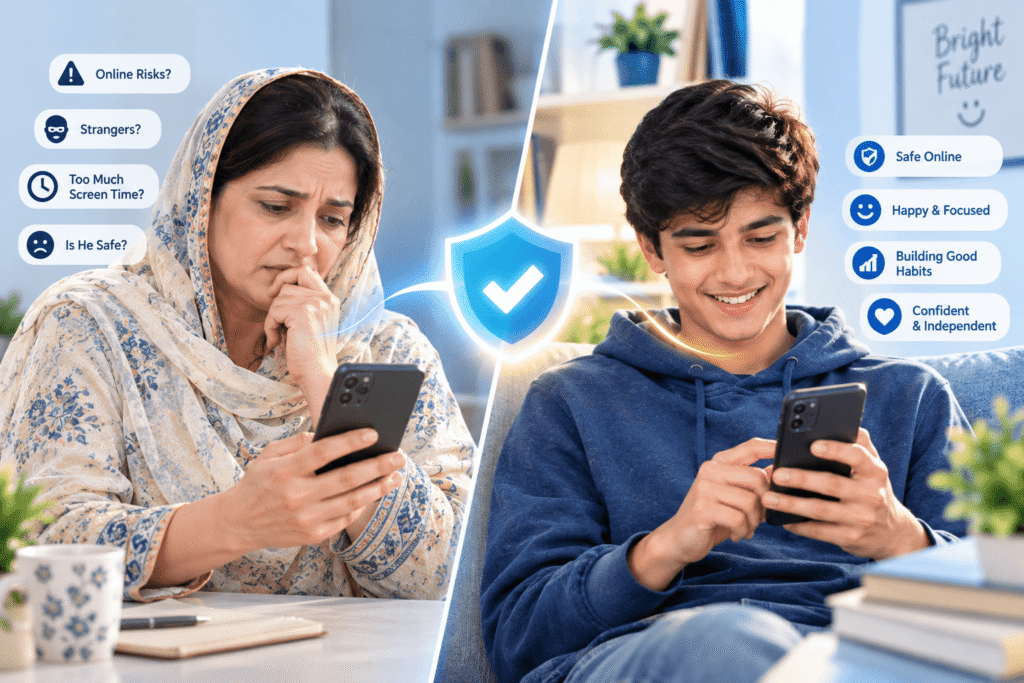
You don’t need to hack anything, install shady third-party apps, or invade your kid’s privacy to keep them safe online. Snapchat already built the tool for this most parents just don’t know it exists. Set it up together, talk to your kids honestly about why it matters, and use it as a starting point for real conversations, not a replacement for them. At the end of the day, the goal isn’t control it’s raising a kid who feels safe enough to come to you when something actually does go wrong.

2 thoughts on “Snapchat Family Center Parental Controls”